Improving Core Web Vitals: A Practical Guide to Faster, Smoother Websites
Learn how to improve Core Web Vitals by optimizing LCP, INP, and CLS. This guide explains practical ways to speed up loading, improve responsiveness, reduce layout shifts, and create a smoother website experience for visitors.
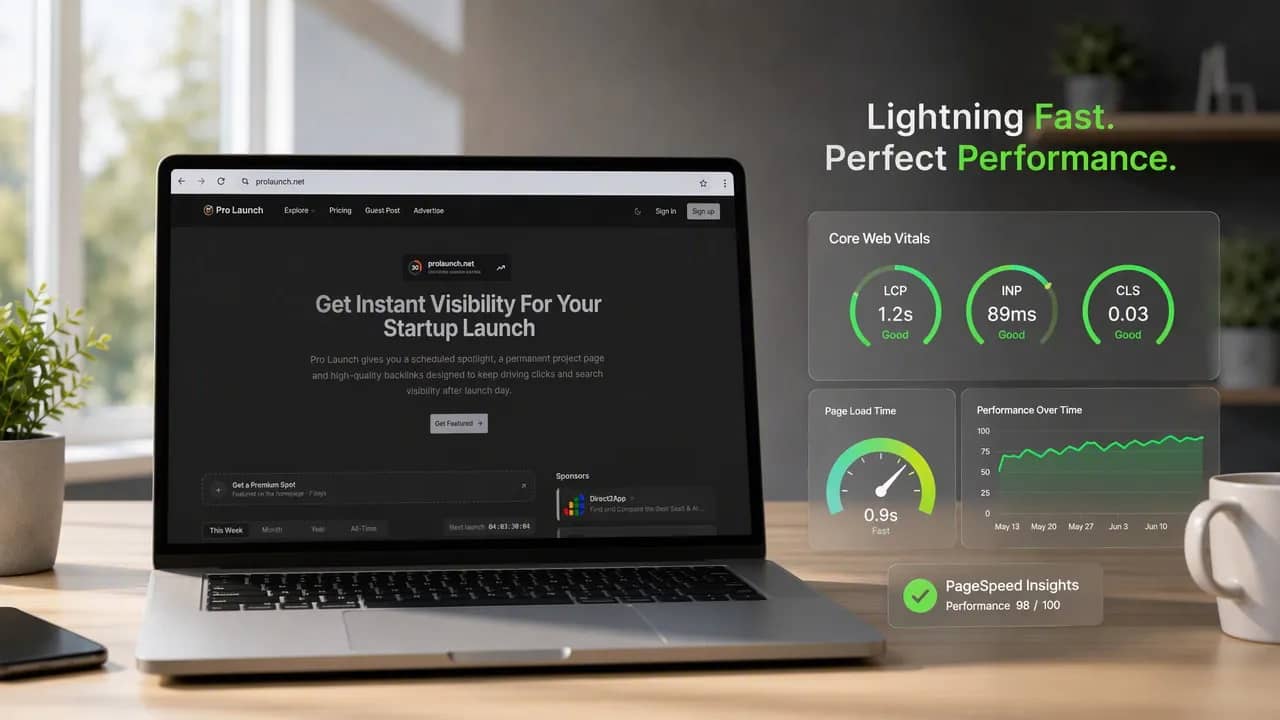
A slow website doesn’t merely test patience. It interrupts the exact moment a visitor is deciding whether to read, subscribe, request a demo, or buy. Improving Core Web Vitals removes that friction by making pages load quickly, respond promptly, and stay visually stable.
Google’s Core Web Vitals focus on three real user experiences: how fast primary content appears, how quickly a page reacts to interaction, and whether elements shift unexpectedly. They are not a shortcut to higher rankings on their own. Strong content and search relevance still matter more. But a technically frustrating site can waste the traffic you worked hard to earn.
What Core Web Vitals Measure
Core Web Vitals use field data from real visitors. This matters because your site may feel fast on a high-end laptop and home Wi-Fi while performing poorly on a mid-range phone using a crowded mobile network.
The three metrics are:
Largest Contentful Paint (LCP): measures how quickly the page’s primary visible content loads.
Interaction to Next Paint (INP): measures how quickly the browser provides visual feedback after an interaction.
Cumulative Layout Shift (CLS): measures unexpected movement of content while the page loads.
Google generally considers these targets “good” at the 75th percentile of visits:
LCP: 2.5 seconds or less
INP: 200 milliseconds or less
CLS: 0.1 or less
You can review real-world Core Web Vitals data in Google Search Console. Then use PageSpeed Insights, Lighthouse, and Chrome DevTools to investigate the technical cause. Think of field data as the smoke alarm. Lab testing helps you find the wiring problem.
Improving Core Web Vitals Begins With Better LCP
Largest Contentful Paint often determines the first impression. On a blog post, it might be the headline area or featured image. On a landing page, it is usually the hero image, product visual, or large block of introductory copy.
A poor LCP score usually comes from one of four places: a slow server response, delayed discovery of the main resource, a large file download, or late rendering in the browser.
Reduce Server Response Time
Your server has to respond before the browser can build anything useful. If the initial HTML arrives late, every other improvement starts from behind.
Use a content delivery network to serve static assets closer to visitors. Enable full-page caching for public pages where it makes sense. Review slow database queries, unnecessary redirects, and overloaded hosting environments.
For a startup launch page, this is especially important. A sudden wave of campaign traffic can expose hosting weaknesses that went unnoticed during quieter weeks.
Make the Largest Content Element Easy to Find
Browsers can only prioritize what they discover early. If your primary hero image arrives through JavaScript or sits behind several render-blocking files, LCP will suffer.
Keep the LCP element in the initial HTML. Do not lazy-load an image that appears above the fold. Use responsive images so mobile visitors do not download desktop-sized assets. Modern formats can reduce file weight, but they are not magic; serving an oversized image remains wasteful regardless of format.
Also review CSS and JavaScript. Nonessential files should not block the first render. A polished animation is not worth making visitors stare at a blank page.
Improve INP by Making Interactions Feel Immediate
Interaction to Next Paint measures how quickly a page visibly responds after a person clicks, taps, types, or opens a control. It replaced First Input Delay because one early interaction does not tell the whole story.
You know the feeling: you click a button, nothing happens, so you click again. Now the page catches up and performs the action twice. That is poor responsiveness in the real world.
Find Main-Thread Bottlenecks
Most INP issues come from JavaScript keeping the browser’s main thread busy for too long. While that work runs, the browser cannot promptly process input or paint the result.
Start by auditing third-party scripts. Analytics, chat tools, heatmaps, advertising tags, social embeds, and A/B testing platforms can quietly pile up. Every script needs a reason to exist.
Then reduce unused JavaScript, split large bundles, and load feature-specific code only when users need it. Break long tasks into smaller pieces so the browser gets opportunities to handle input. For complex calculations, web workers can move suitable processing away from the main thread.
Test the interactions tied to business outcomes first: navigation menus, search, pricing toggles, forms, carts, and checkout steps. Those are the moments where delay turns into lost momentum.
Fix CLS to Keep Pages Stable
Cumulative Layout Shift measures visual instability. A visitor starts reading, then an image loads and shoves the paragraph down the screen. Or worse, they aim for one button and a late banner pushes another button underneath their thumb.
It feels sloppy because it is. Even a beautiful design loses credibility when it moves under someone’s hand.
Reserve Space Before Content Loads
Give images, videos, ads, embeds, and iframes defined dimensions or an aspect ratio. The browser can then reserve the correct amount of space before each asset finishes loading.
Avoid injecting promotional banners, cookie notices, or widgets above content after the initial render. If dynamic content must appear, reserve its space in advance.
Fonts also deserve attention. A late-loading custom font can change text size and spacing, which shifts surrounding content. Use a sensible fallback font and review how font loading affects layout across mobile screens.
A Repeatable Process for Improving Core Web Vitals
Do not chase scores page by page without a plan. Start by identifying failing URL groups in Search Console, then map them to templates such as blog posts, product pages, landing pages, and signup flows.
Prioritize the templates that drive the most traffic or revenue. Diagnose one metric at a time. Ship improvements carefully, then monitor real-user data for regressions.
A lightweight performance budget helps keep gains from disappearing later:
Limit unnecessary JavaScript and third-party tags.
Set maximum image sizes for common page components.
Review new plugins before adding them.
Test major template changes on mobile connections.
Improving Core Web Vitals is ongoing maintenance, not a one-time cleanup. But it pays off in a website that feels calm, capable, and ready when visitors arrive.
Frequently Asked Questions
Do Core Web Vitals guarantee higher Google rankings?
No. They contribute to page experience, but Google also evaluates relevance, helpful content, quality, and many other signals.
Which Core Web Vital should I improve first?
Start with the metric affecting your highest-value templates. For many sites, LCP is the best first target because it shapes the first visible loading experience.
How long before Core Web Vitals improvements show in Search Console?
Testing tools can show technical improvements immediately. Search Console field data updates more gradually because it reflects real visitor sessions over time.


