How Often to Perform Website Maintenance for Best Results
A website is never truly finished. To prevent slow pages, ranking drops, and security breaches, you need a proactive routine. Discover the ideal daily, weekly, monthly, and quarterly website maintenance schedule to keep your site secure, fast, and fully optimized.
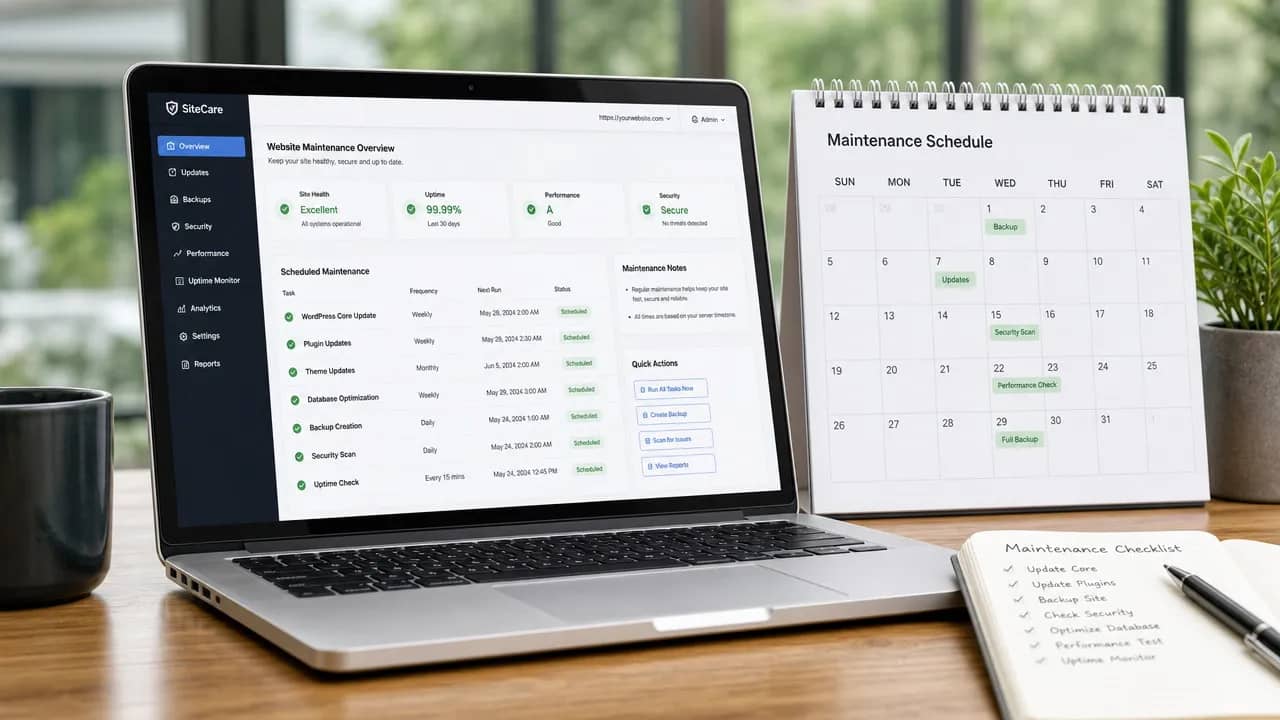
A website is never finished the day it goes live. It sits in a constantly shifting environment of browser updates, security threats, search engine changes and user expectations. Skip regular care and small problems quietly turn into slower pages, ranking losses, broken forms or worse. The question of how often to perform website maintenance for best results has no single answer. Frequency must match the task itself and the risks your site faces.
Different layers of a website age at different speeds. Security demands the tightest rhythm. Content and design can stretch longer. Understanding these layers keeps maintenance efficient and effective.
Daily and Continuous Website Maintenance
Some work cannot wait for a calendar slot. Automated backups of files and the database should run every day and store copies off the main server. Uptime monitoring with instant alerts catches downtime the moment it happens. Critical security patches need application as soon as they appear. These continuous steps form the foundation that protects everything else.
Weekly Website Maintenance Actions
Once a week, set aside a short, focused block. Review security scan results and address any flags. Apply core software, plugin and theme updates after a quick check that they do not break key functions. Test the main conversion paths—contact forms, login flows and checkout processes if you have them. Confirm the latest backup completed successfully. A brief look at analytics helps spot sudden traffic drops or error spikes before they grow.
This weekly rhythm stops minor issues from compounding. Most successful attacks exploit outdated software, so staying current here delivers outsized protection.
Monthly Website Maintenance Checks
Every month, go a layer deeper. Complete any remaining software updates. Sweep the site for broken links and clean up 404 errors. Review page speed and Core Web Vitals signals on your most important pages. Update time-sensitive content such as pricing, offers, team details or seasonal notices. Check Google Search Console for new crawl or indexing problems. Test forms and contact paths from more than one device.
These monthly tasks keep performance steady and content accurate without requiring a full audit every time.
Quarterly Deep Reviews for Stronger Results
Four times a year, run a more thorough pass. Conduct a technical SEO health check covering indexation, canonical tags, internal links and the sitemap. Audit Core Web Vitals and prioritise fixes that improve loading and interactivity. Review accuracy on your highest-traffic and highest-conversion pages. Spot-check accessibility against basic standards. Audit user access and passwords. Finally, test a recent backup restore so you know recovery actually works when needed.
Quarterly reviews catch structural drift that weekly and monthly work can miss.
Annual or Semi-Annual Strategic Maintenance
Once a year, step back for the big picture. Perform a full content audit to correct outdated claims, prune thin pages and refresh top performers. Verify hosting, SSL certificates and domain renewals. Update legal pages such as the privacy policy and terms. Compare design and information architecture against current competitors and your own business goals. Decide whether a larger redesign or platform shift makes sense—most sites benefit from a meaningful refresh every two to three years.
Factors That Change the Ideal Maintenance Frequency
A simple brochure site needs less frequent attention than a WordPress installation packed with plugins or an e-commerce store handling payments. Higher traffic and greater business dependence on the site justify tighter intervals. Industries that change rapidly require more frequent content updates. Regulatory or security-sensitive sites demand stricter schedules. Available time and technical comfort also matter. Start with the baseline above, then tighten any layer that repeatedly surfaces problems.
Building a Sustainable Maintenance Calendar
Automation handles the heavy lifting. Backups, monitoring and update notifications can run without daily human effort. What remains is a small weekly check plus larger monthly and quarterly blocks on the calendar. Consistency beats occasional large clean-ups. Small, regular actions prevent the expensive emergencies that appear when maintenance is deferred for months.
When to Handle It Yourself or Bring in Help
Owners who feel comfortable with the technical side and run relatively simple sites can manage the baseline schedule themselves. Recurring issues, limited time or heavy reliance on the site for leads and sales often make professional support the better choice. A solid maintenance arrangement covers the routine work so the business can focus on growth rather than firefighting.


