
pCloud Review: Lifetime Cloud Storage Without the Monthly Trap
pCloud is a Swiss cloud storage platform built for people who want files on every device without renting space forever. It combines a virtual drive with optional client-side encryption and one-time lifetime licenses. The service runs across Windows, Mac, Linux, iOS and Android with no file size caps. Paid plans add file versioning, Rewind restore and password-protected sharing links. Zero-knowledge encryption sits in the Crypto add-on rather than inside the base plan.
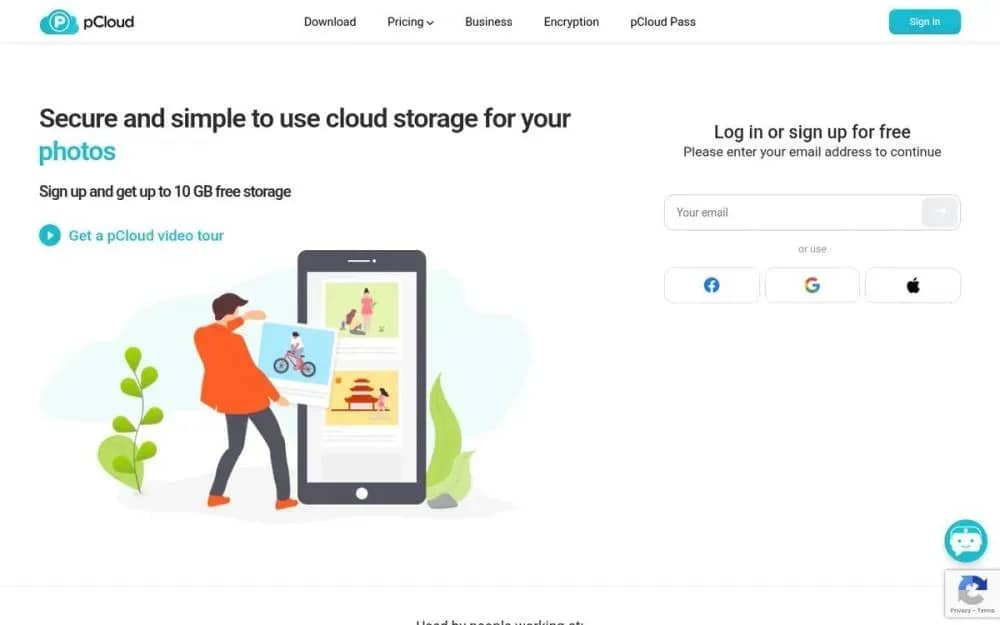
Most cloud storage services quietly lock you into a monthly bill that never really ends. You send photos from your phone and you park work files on a laptop. Then another charge arrives on the same card. pCloud offers a different deal for people tired of renting space. This pCloud review examines a Swiss storage service that sells lifetime plans beside ordinary subscriptions.
The core question is whether pCloud delivers enough speed, privacy and daily convenience to justify paying once.
Why This pCloud Review Is Important
Google Drive and Dropbox still win on habit for millions of people. They also keep charging long after the novelty of free space fades. pCloud launched in 2013 with a simpler wager about ownership. The company lets you buy storage outright and keep files under Swiss privacy rules. The desktop client treats the cloud like a normal folder on your machine.
Recurring fees add up once you stay with a service for several years. A 2 TB lifetime license around $399 breaks even against the annual plan in about four years. After that point every extra year costs nothing extra. The trade-off is equally clear for collaboration-heavy work. True zero-knowledge encryption costs extra on top of storage. Live document editing is missing from the web app. Teams that live inside shared Docs will still prefer Google.
How pCloud Storage Works Day to Day
Install the desktop app and pCloud Drive appears as a virtual folder on your computer. You drag files in and they upload in the background without eating local disk. Other devices see the changes almost immediately. That virtual drive is the feature most people notice first.
Selective sync lets you choose which folders stay on the machine. Block-level sync uploads only the parts of a file that changed. Both save time and bandwidth when you edit large documents or video.
The web app and mobile apps stay straightforward after a recent redesign. Dark mode and a dedicated Photos gallery make browsing media less of a chore. You can stream video and audio from the cloud without downloading first. File sharing on paid plans includes passwords, expiry dates, download stats and branded links.
Deleted files sit in Trash for 15 days on the free plan and 30 days on paid plans. File Rewind can restore an entire account to an earlier date within that window. Extended File History stretches recovery to 365 days for an extra yearly fee.
Security and Privacy
pCloud AG is located in Lausanne, Switzerland. Its data centers are in the United States and Luxembourg, and you can choose where your files are stored when you sign up. Changing your storage region later costs a one-time fee, so make your choice carefully. Since Switzerland isn’t part of the Five Eyes intelligence-sharing alliance, its location may be important for people concerned about where their data is kept.
Standard storage uses AES-256 encryption at rest and TLS in transit. pCloud can still access those files on its servers. Client-side encryption lives in pCloud Crypto. Files go into a Crypto folder and get encrypted on your device before they leave. Only you hold the key. Crypto runs about $49.99 per year or as a lifetime add-on.
Two-factor authentication is available on every account that wants it. Session history lets you kick unknown devices from the web settings page. For passports, contracts or private photos Crypto is not a nice extra. It is the actual privacy layer.
Subscription Versus Lifetime
The free plan offers 10 GB after a few setup tasks such as confirming email and installing apps. Paid personal tiers come in 500 GB, 2 TB and 10 TB sizes.
Annual prices sit near $49.99 for 500 GB and $99.99 for 2 TB. Lifetime licenses typically list around $199 for 500 GB, $399 for 2 TB and about $1,190 for 10 TB. Family plans share 2 TB across five users for a one-time fee. Business plans stay subscription-only with a three-user minimum.
There are no file size limits and no artificial speed caps on uploads. A 14-day money-back window applies to paid purchases. Crypto and year-long version history remain add-ons. Check current rates on the official pCloud pricing page because promotions shift.
Pros
Lifetime plans remove monthly fees after a one-time payment
Virtual drive keeps files in the cloud without filling local disk
Client-side Crypto folder offers true zero-knowledge encryption
Fast uploads with block-level sync and no file size limits
Password-protected links with expiry dates and download stats
Apps for Windows, Mac, Linux, iOS and Android
30-day file versioning and Rewind on paid personal plans
Cons
Zero-knowledge encryption requires a paid Crypto add-on
No built-in document editing or live collaboration tools
Free plan caps storage at 10 GB after setup tasks
Extended file history costs extra beyond 30 days
Email support can be slow during busy periods
Fewer third-party integrations than Google Drive or Dropbox
Our Rating
★★★★☆ 4.8 / 5 stars
Speed, lifetime pricing and Swiss privacy put pCloud near the top of consumer cloud storage. The missing collaboration suite and paid Crypto add-on keep it short of a perfect five.
Verdict
pCloud is a strong pick if you want to stop paying rent on your own files. Buy a lifetime plan for everyday storage. Add Crypto for anything private. Skip it if your work lives in real-time docs.


